Skill Training


Introduction
In Old School Runescape there are 24 skills that players can train to level their account to achieve later goals in the game.
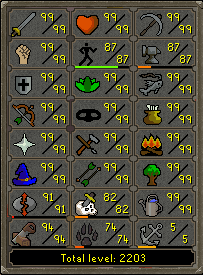
To train these skills players go off on an adventure and chop down trees, mine rocks, train combat, fight monsters, etc. Players are allowed to do this in any order they want which gives every player a truly their own experience in the expansive world of Gielinor.
For this assignment you will simulate players performing activities and leveling up their skills as they perform the activities. The two activities that will be performed are:
| Activity | XP/Action |
|---|---|
| Woodcutting | 11 |
| Mining | 17 |
To simulate these activities the player will just be told they chopped wood or mined rocks when the activities are performed separately. The player will then be given the appropriate amount of XP based on the activity they perform.
This assignment will help you practice several programming concepts used frequently in real software development:
-
Creating and calling functions
-
Value and reference parameters
-
Code reusability
Task
Reference outputs for this assignment can be viewed here
Write a program that reads the woodcutting and mining xp of a player, calculates their woodcutting and mining levels, then lets the player train either skill by selecting to train the skill until they choose they are done training. You will need to:
-
Get the woodcutting xp from the player on the terminal using the
getXP()function described below, passing"Woodcutting XP: "as a parameter. -
Calculate the woodcutting level of the player using the
determineLevel()function described below, passing the woodcutting xp from (1) as a parameter. -
Get the mining xp from the player on the terminal using the
getXP()function described below, passing"Mining XP: "as a parameter. -
Calculate the mining level of the player using the
determineLevel()function described below, passing the mining xp from (3) as a parameter. -
Display the xp and levels of the player using the
displayLevel()function described below, passing the woodcutting xp/level and mining xp/level as parameters. -
In a loop that runs until the user wants to quit:
a. Get the action the user wants to perform using the
getInput()function described below.b. If the input from (a) is
1train the woodcutting skill by calling thetrainSkill()function described below, passing”woodcutting”and the variable holding woodcutting xp as parameters. Override the woodcutting xp variable with the returned value from the call. Then call thecheckLevelUp()function described below, passing the woodcutting xp and level as parameters.c. If the input from (a) is
2train the mining skill by calling thetrainSkill()function described below, passing”mining”and the variable holding mining xp as parameters. Override the mining xp variable with the returned value from the call. Then call thecheckLevelUp()function described below, passing the mining xp and level as parameters.d. If the input from (a) is
3call thedisplayLevel()function described below, passing the woodcutting xp/level and mining xp/level as parameters.e. If the input from (a) is
4call thedisplayLevel()function described below, passing the woodcutting xp/level and mining xp/level as parameters. Then output the message”Quitting…\n”, stop looping, and terminate the program.
Functions
int getXP(string prompt)
Will get the xp (integer) of a player, then return it from the function. The function should loop reading an xp until a valid one is entered (no input failure, xp isn’t negative, and xp isn’t greater than 1154). The passed prompt should be used to prompt the player to enter their xp, and output the message "Error: Invalid xp\n" if an invalid xp is entered.
int determineLevel(int xp)
Will determine the level of a skill based on the passed xp, then return that level as an integer from the function. The levels based on xp are as follows:
| xp | level |
|---|---|
| 0 | 1 |
| 83 | 2 |
| 174 | 3 |
| 276 | 4 |
| 388 | 5 |
| 512 | 6 |
| 650 | 7 |
| 801 | 8 |
| 969 | 9 |
| 1154 | 10 |
void displayLevels(int woodcuttingXP, int woodcuttingLvl, int miningXP, int miningLvl)
Outputs the passed woodcutting xp/level and mining xp/level in the following form:
Current Levels:
  Woodcutting XP: woodcuttingXP
  Woodcutting Level: woodcuttingLvl
  Mining XP: miningXP
  Mining Level: miningLvl
Where woodcuttingXP woodcuttingLvl miningXP and miningLvl are the formal parameters.
int getInput()
Will get the selection (character) of the action the player wants to perform, then return it from the function. The function should loop reading an action number until a valid one is entered (no input failure, selection isn’t less than 1, and selection isn’t greater than 4). Use the prompt "\nActions:\n 1. Chop Tree\n 2. Mine Rocks\n 3. Check Stats\n 4. Quit\nSelection: " to ask for the action, and output the message "Error: Invalid option\n" if an invalid selection is made.
int trainSkill(string skill, int xp)
Allows the player to train a skill by using the passed skill to either chop a tree or mine a rock.
-
If the formal parameter
skillis”woodcutting”then output"You chop a tree\n", add11to thexpformal parameter, and return the new xp from the function. -
If the formal parameter
skillis”mining”then output"You mine some rocks\n", add17to thexpformal parameter, and return the new xp from the function.
void checkLevelUp(int xp, int &level)
Checks if the player leveled up, and if they did updates the level parameter via reference. To do this, pass the xp formal parameter to a call of determineLevel() and save the result into a variable. Then check the variable against the level formal parameter, and if they are different then you know the player has leveled up. If they level up output the message, "You leveled from OLD_LEVEL to NEW_LEVEL\n" (where OLD_LEVEL is the old level, and NEW_LEVEL is the new level returned from determineLevel()), and set the level formal parameter to the new level.
Criteria for Success
Example Program Interaction
An example of an interaction with your program is shown below. When interacted with, your program must produce the exact same results.
AS7 % ./a.out
Woodcutting XP: error
Error: Invalid xp
Woodcutting XP: -1
Error: Invalid xp
Woodcutting XP: 1155
Error: Invalid xp
Woodcutting XP: 20
Mining XP: error
Error: Invalid xp
Mining XP: -1
Error: Invalid xp
Mining XP: 1155
Error: Invalid xp
Mining XP: 500

Current Levels:
  Woodcutting XP: 20
  Woodcutting Level: 1
  Mining XP: 500
  Mining Level: 5

Actions:
  1. Chop Tree
  2. Mine Rocks
  3. Check Stats
  4. Quit
Selection: 1
You chop a tree

Actions:
  1. Chop Tree
  2. Mine Rocks
  3. Check Stats
  4. Quit
Selection: 2
You mine some rocks
You leveled from 5 to 6

Actions:
  1. Chop Tree
  2. Mine Rocks
  3. Check Stats
  4. Quit
Selection: 3

Current Levels:
  Woodcutting XP: 31
  Woodcutting Level: 1
  Mining XP: 517
  Mining Level: 6

Actions:
  1. Chop Tree
  2. Mine Rocks
  3. Check Stats
  4. Quit
Selection: 0
Error: Invalid option

Actions:
  1. Chop Tree
  2. Mine Rocks
  3. Check Stats
  4. Quit
Selection: 5
Error: Invalid option

Actions:
  1. Chop Tree
  2. Mine Rocks
  3. Check Stats
  4. Quit
Selection: 4

Current Levels:
  Woodcutting XP: 31
  Woodcutting Level: 1
  Mining XP: 517
  Mining Level: 6
Quitting...
See CodeGrade for more examples.
Note: The line breaks after the inputs in the example output formatting above are the ones placed into the terminal by the user hitting enter on their keyboard to input. CodeGrade does not enter values with a keyboard, but rather supplies input via Linux redirection to programs. So in CodeGrade's auto tests there will not be line breaks after the inputs.
Submission Instructions
Save: Save your code as main.cpp. Do not ignore this step or save your file(s) with different names.
Submit: Your program source code must be submitted via CodeGrade as a properly named .cpp file prior to the deadline to receive full credit. Any submissions after the deadline will be subject to the class’ late policy.