Banking the Inventory


Introduction
In Old School RuneScape, players manage two main storage systems: an inventory and a bank.
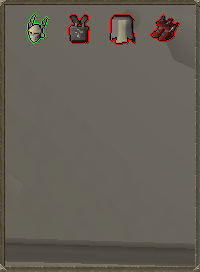
The inventory is limited in size and is used to hold items that are immediately accessible.
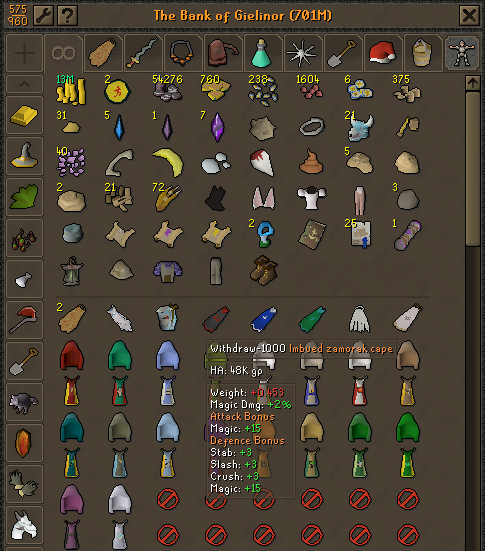
The bank, on the other hand, is a much larger storage system used to store items that are not currently needed.
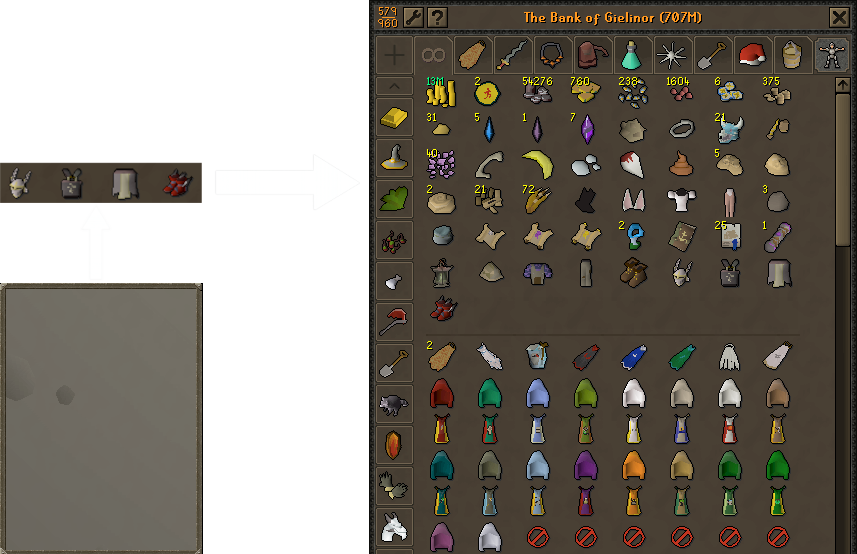
Players frequently move items between these two systems. For example, items in the inventory can be deposited into the bank when they are no longer needed:
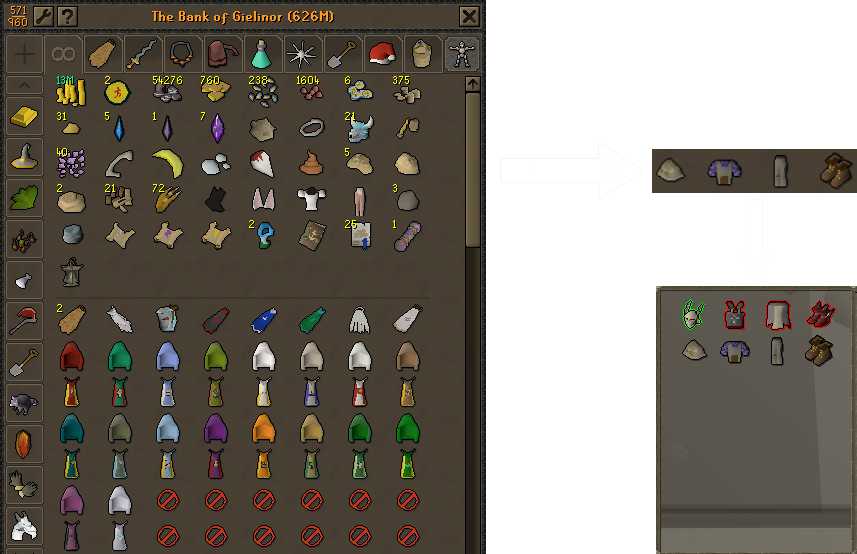
Likewise, when preparing for combat or another activity, items can be withdrawn from the bank and placed into the inventory:
In this assignment, you will simulate this interaction by transferring items between an inventory and a bank.
You will work with two input files:
-
An inventory file, which stores item positions in a 1D structure:
position name 0 sword 1 boots 4 platebody -
A bank file, which stores item positions in a 2D structure:
row column name
0 0 platelegs
The inventory file will be loaded into a 1D array of strings with a size of 5, where each item is placed at the index specified by its position.
The bank file will be loaded into a 2D array of strings with 5 rows and 5 columns, where each item is placed at the specified row and column.
After loading the data, the user will be able to:
-
Move items from the bank to the inventory
-
Move items from the inventory to the bank
-
Choose exactly where each item is placed
This assignment will help you practice several programming concepts used frequently in real software development:
-
File input
-
Input validation
-
Working with 1D and 2D arrays
-
Searching for items in arrays
-
Managing and updating arrays
Task
All files needed for this assignment can be downloaded here
Write a program that reads the inventory and bank from a user entered file, then allow the user to transfer items between the bank and inventory. You will need to:
-
Open the inventory file. Loop prompting
"Inventory File: "and reading in the file name/opening the file, outputting the error"Error: Invalid inventory file name\n"until a valid inventory file is entered. -
Open the bank file. Loop prompting
"Bank File: "and reading in the file name/opening the file, outputting the error"Error: Invalid bank file name\n"until a valid bank file is entered. -
Read the inventory file. First read the headers, then loop reading the index the item should be placed in the inventory and name of the item to be placed, then saving the name of the item into the inventory array at the index read from the file. The inventory array should be of size 5.
-
Read the bank file. First read the headers, then loop reading the row and column the item should be placed in the bank and name of the item to be placed, then saving the name of the item into the bank array at the row and column read from the file. The bank array should have 5 rows and 5 columns.
-
Display the initial inventory. Loop through the entire inventory, outputting the name of the item if there is something in the inventory at a given index, or nothing if there is not. Each item (name or blank) should be output left justified in a width of 15 with a fill of
’_’. Before the initial inventory is printed output"\nINITIAL INVENTORY:\n", and as each item is printed output”, “except for after the last item in the inventory. -
Display the initial bank. Loop through the entire bank, outputting the name of the items if there is something in the bank at a given row/column, or nothing if there is not. Each row of the array should be printed on its own line. Each item (name or blank) should be output left justified in a width of 15 with a fill of
’_’. Before the initial bank is printed output"\nINITIAL BANK:\n", and as each item is printed output”, “except for after the last item in the bank. -
In a loop that runs until the user wants to quit
a. Determine if the user wants to move items from the bank to the inventory -or- the inventory to the bank. Prompt
"(1) Bank -> Inventory\n(2) Inventory -> Bank\nSelection: "and read in the selection to an integer. If the selection is not1or2(no input failure needed for this assignment) then output"Error: Invalid Selection\n"until a valid selection is made.b. If
1is selected then allow the user to move an item from the bank to the inventory:-
Prompt
"Item to move: "and read in the string the user wants to move. Then, search the bank array for the row/column of the entered item. If the entered item is not found, output"Error: Item not found in bank\n"until a valid item is entered. Once a valid item is entered save the row and column it is at in the bank to variables. -
Prompt
"Place in inventory position: "and read the integer index to save the item from the bank into the inventory array. If an invalid index (too small/too big -- no input failure for this assignment) is entered, output"Error: Invalid Position\n"until a valid index is entered. Also if an index that is already occupied by an inventory item is entered, output"Error: There's something in that position already\n"until a non-occupied space is entered. Once a valid position is entered save it to a variable. -
Place the item from the bank into the inventory using the saved bank row, bank column, and inventory index.
-
Remove the item from the bank by overriding the item at the saved bank row and bank column with the empty string.
c. If
2is selected then allow the user to move an item from the inventory to the bank:-
Prompt
"Item to move: "and read in the string the user wants to move. Then, search the inventory array for the index of the entered item. If the entered item is not found, output"Error: Item not found in inventory\n"until a valid item is entered. Once a valid item is entered save the index it is at in the inventory to a variable. -
Prompt
"Place in bank row: "and read the integer row to save the item from the inventory into the bank array. Also prompt"Place in bank column: "and read the integer column to save the item from the inventory into the bank array. If an invalid row or column (too small/too big or row/column -- no input failure for this assignment) is entered, output"Error: Invalid Position\n"until a valid row and column is entered. Also if a row/column that is already occupied by a bank item is entered, output"Error: There's something in that position already\n"until a non-occupied space is entered. Once a valid row and column is entered save them to variables. -
Place the item from the inventory into the bank using the saved inventory index, bank row, and bank column.
-
Remove the item from the inventory by overriding the item at the saved inventory index with the empty string.
d. Display the updated inventory using similar steps as (5) but output
"\nINVENTORY:\n"prior to displaying the updated inventory.e. Display the updated bank using similar steps as (6) but output
"\nBANK:\n"prior to displaying the updated bank.f. Prompt
"(M/m)ove another item (anything else to quit)? "and read in the character selection determining if another item needs to be moved. If’m’or’M’is entered continue from (a), or if anything else is entered stop looping. -
Criteria for Success
Example Program Interaction
An example of an interaction with your program is shown below. When interacted with, your program must produce the exact same results.
inventory.txt
position name
0 sword
1 boots
4 platebody
bank.txt
row column name
0 0 platelegs
terminal
Inventory File: error
Error: Invalid inventory file name
Inventory File: inventory1.txt
Bank File: invalid
Error: Invalid bank file name
Bank File: bank1.txt

INITIAL INVENTORY:
sword__________, boots__________, _______________, _______________, platebody______

INITIAL BANK:
platelegs______, _______________, _______________, _______________, _______________
_______________, _______________, _______________, _______________, _______________
_______________, _______________, _______________, _______________, _______________
_______________, _______________, _______________, _______________, _______________
_______________, _______________, _______________, _______________, _______________

(1) Bank -> Inventory
(2) Inventory -> Bank
Selection: 0
Error: Invalid Selection
(1) Bank -> Inventory
(2) Inventory -> Bank
Selection: 3
Error: Invalid Selection
(1) Bank -> Inventory
(2) Inventory -> Bank
Selection: 2
Item to move: helmet
Error: Item not found in inventory
Item to move: sword
Place in bank row: -1
Place in bank column: 0
Error: Invalid Position
Place in bank row: 5
Place in bank column: 0
Error: Invalid Position
Place in bank row: 0
Place in bank column: -1
Error: Invalid Position
Place in bank row: 0
Place in bank column: 5
Error: Invalid Position
Place in bank row: 0
Place in bank column: 0
Error: There's something in that position already
Place in bank row: 0
Place in bank column: 1

INVENTORY:
_______________, boots__________, _______________, _______________, platebody______

BANK:
platelegs______, sword__________, _______________, _______________, _______________
_______________, _______________, _______________, _______________, _______________
_______________, _______________, _______________, _______________, _______________
_______________, _______________, _______________, _______________, _______________
_______________, _______________, _______________, _______________, _______________

(M/m)ove another item (anything else to quit)? m
(1) Bank -> Inventory
(2) Inventory -> Bank
Selection: 1
Item to move: boots
Error: Item not found in bank
Item to move: platelegs
Place in inventory position: -1
Error: Invalid Position
Place in inventory position: 5
Error: Invalid Position
Place in inventory position: 4
Error: There's something in that position already
Place in inventory position: 3

INVENTORY:
_______________, boots__________, _______________, platelegs______, platebody______

BANK:
_______________, sword__________, _______________, _______________, _______________
_______________, _______________, _______________, _______________, _______________
_______________, _______________, _______________, _______________, _______________
_______________, _______________, _______________, _______________, _______________
_______________, _______________, _______________, _______________, _______________

(M/m)ove another item (anything else to quit)? q
See CodeGrade for more examples.
Note: The line breaks after the inputs in the example output formatting above are the ones placed into the terminal by the user hitting enter on their keyboard to input. CodeGrade does not enter values with a keyboard, but rather supplies input via Linux redirection to programs. So in CodeGrade's auto tests there will not be line breaks after the inputs.
Submission Instructions
Save: Save your code as main.cpp. Do not ignore this step or save your file(s) with different names.
Submit: Your program source code must be submitted via CodeGrade as a properly named .cpp file prior to the deadline to receive full credit. Any submissions after the deadline will be subject to the class’ late policy.